

A customer should rarely be the first person to tell the on-call team that a website is unreachable. Uptime Kuma is a self-hosted uptime monitor that probes services and alerts a channel you choose when it detects a problem.
The repository had about 94,400 stars on November 16, 2026. Recent issue threads ask how to stagger probes and how to monitor third-party status pages. Both questions come up once monitoring covers more than a handful of URLs. Repository · Staggered checks · Upstream status pages
Start with what the user actually visits
HTTP checks can probe a page or look for expected application content, and a TCP check can tell whether a port accepts a connection. Alerts can go to email, Slack, or other supported providers.
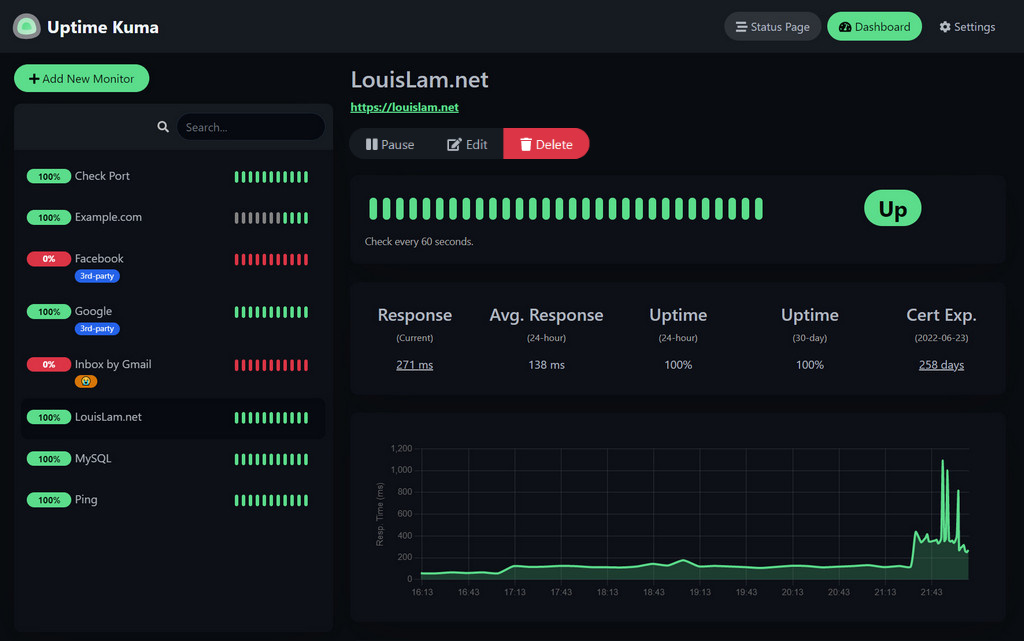
Figure 1. The dashboard shows which checks are failing and gives you recent timings and uptime for the selected check. Screenshot from the project README.
For a help-desk application, try monitoring the login page and the app's health endpoint. When the login page fails, check DNS, certificates, and the proxy. If the page loads and the health endpoint fails, inspect the app and the dependencies covered by that endpoint. Both probes can be green while users still cannot submit a ticket. Use a test account to exercise that workflow.
A status page gives teammates one place to check the services you choose to share.
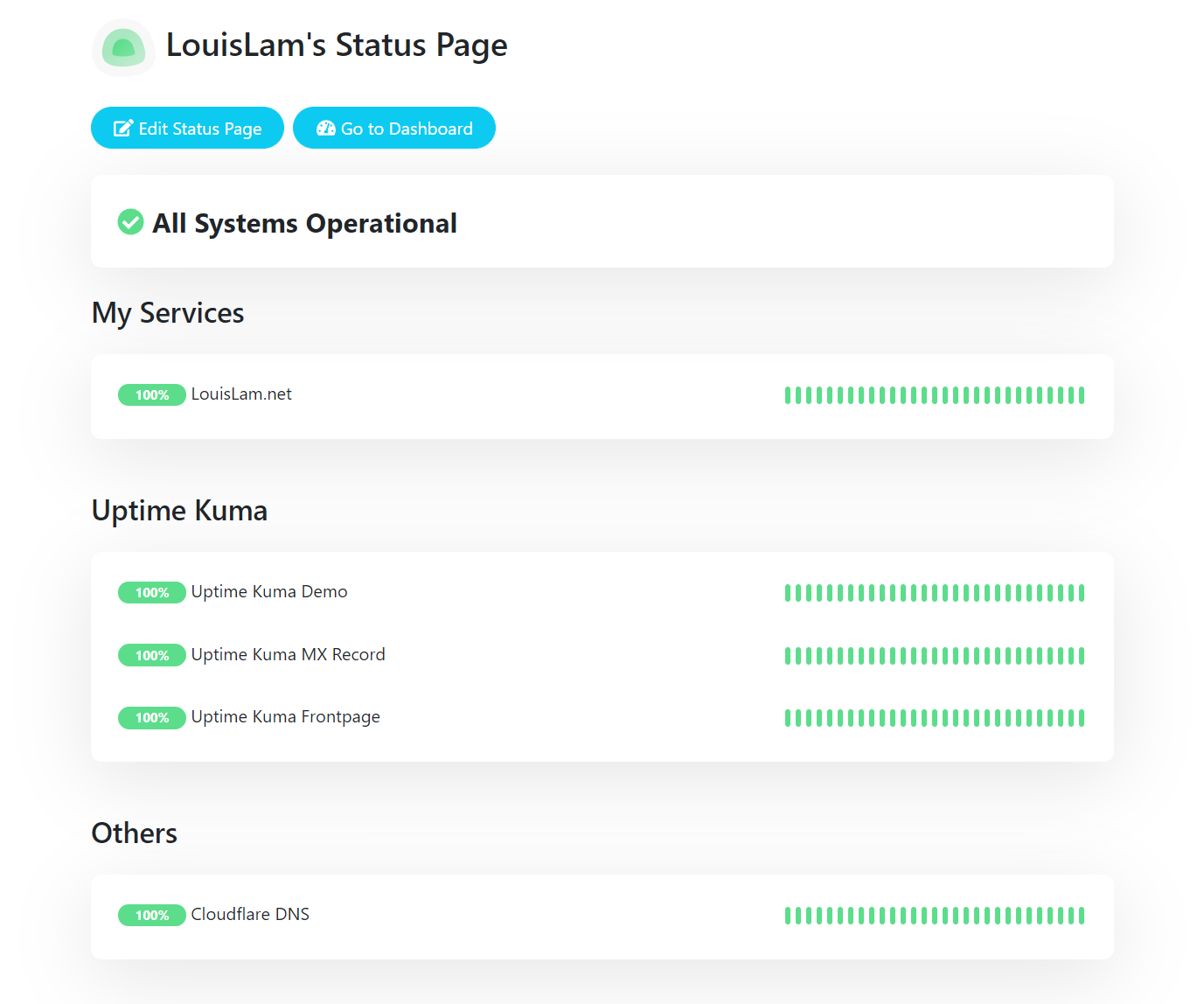
Figure 2. A grouped status page. The small bars track recent probe results. Screenshot from the project README.
Test an alert with one service
Follow the official Docker instructions and configure one test URL and one notification channel. Wait for the check to pass, stop the test service, and verify that the on-call recipient gets the alert. Restore it and check that the monitor returns to normal. Install instructions
Place the monitor where it can see the service as its users do. Put a public website's probe on a separate machine so that a power failure on the website host does not take both down. For internal tools, run the probe from a network that can reach the same address as your users.
This makes a practical starting point for a small set of websites, APIs, or internal services when the immediate goal is a working alert and a record of recovery.