

Several File Explorer windows can look almost identical when their thumbnails appear above one taskbar button. In the Experimental Windows 11 Insider build 26340.10013, announced on November 16, Microsoft added an optional list of window titles. The same taskbar button can now show text labels when you hover over it. Windows Insider Blog
What changes on hover
The default view displays window thumbnails, which can help when you recognize the contents at a glance. List view can be easier when several windows look alike and have distinct titles. You still hover over the same app icon. The setting determines what appears on hover; taskbar grouping has its own setting.
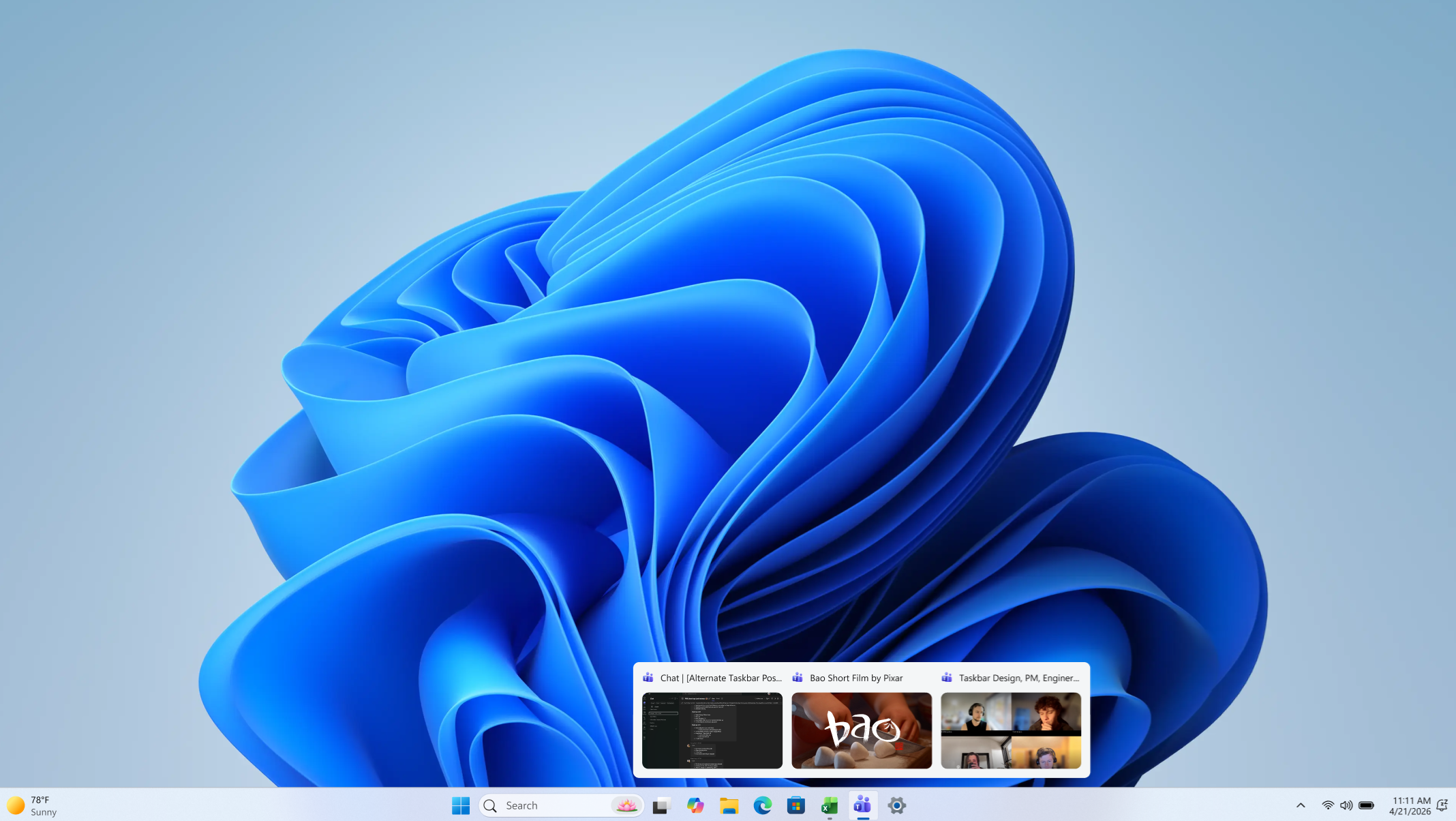
Figure 1. The default hover view shows one thumbnail for each open window. Microsoft release notes
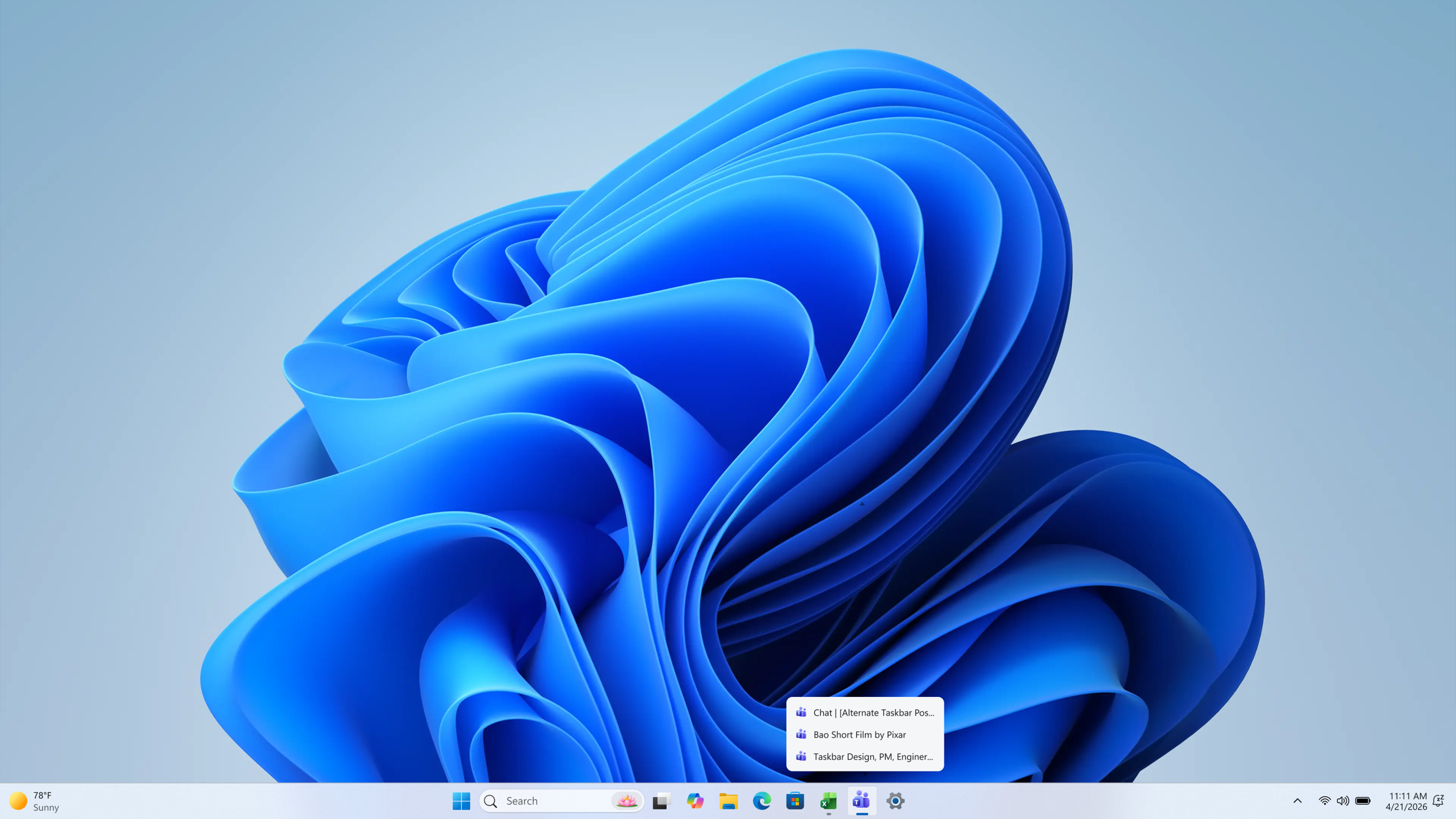
Figure 2. With list view enabled, you can pick a window by its title. Microsoft release notes
Where to check for the setting
On a test PC, go to Settings, then Personalization, then Taskbar. Find “Show taskbar previews as” and choose “List.” Open two clearly named folders, hover over the File Explorer button, and choose one title to confirm that the matching window opens. Select “Thumbnail” in the same menu to return to previews. Microsoft release notes
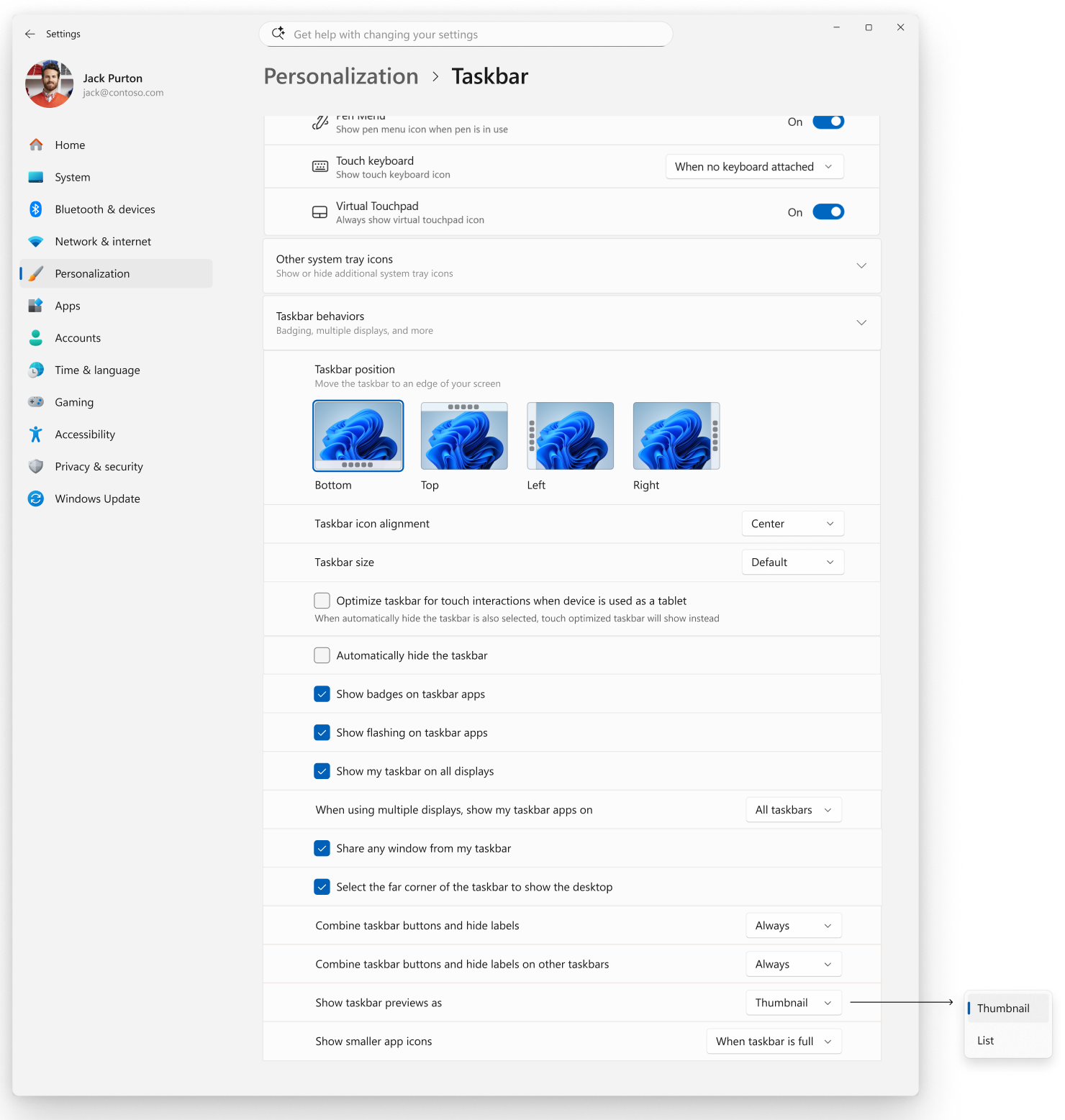
Figure 3. The taskbar setting in Microsoft's English-language screenshot. Microsoft release notes
Microsoft also announced Beta build 26320.10003 that day. The list view appears in the notes for Experimental build 26340.10013, in the rollout section that describes changes arriving gradually. Even test PCs on the same build may see it at different times. Microsoft gave no date for stable availability in the announcement. If this is your everyday work PC, you can evaluate the switch when it reaches a stable update. Windows Insider Blog · Independent coverage